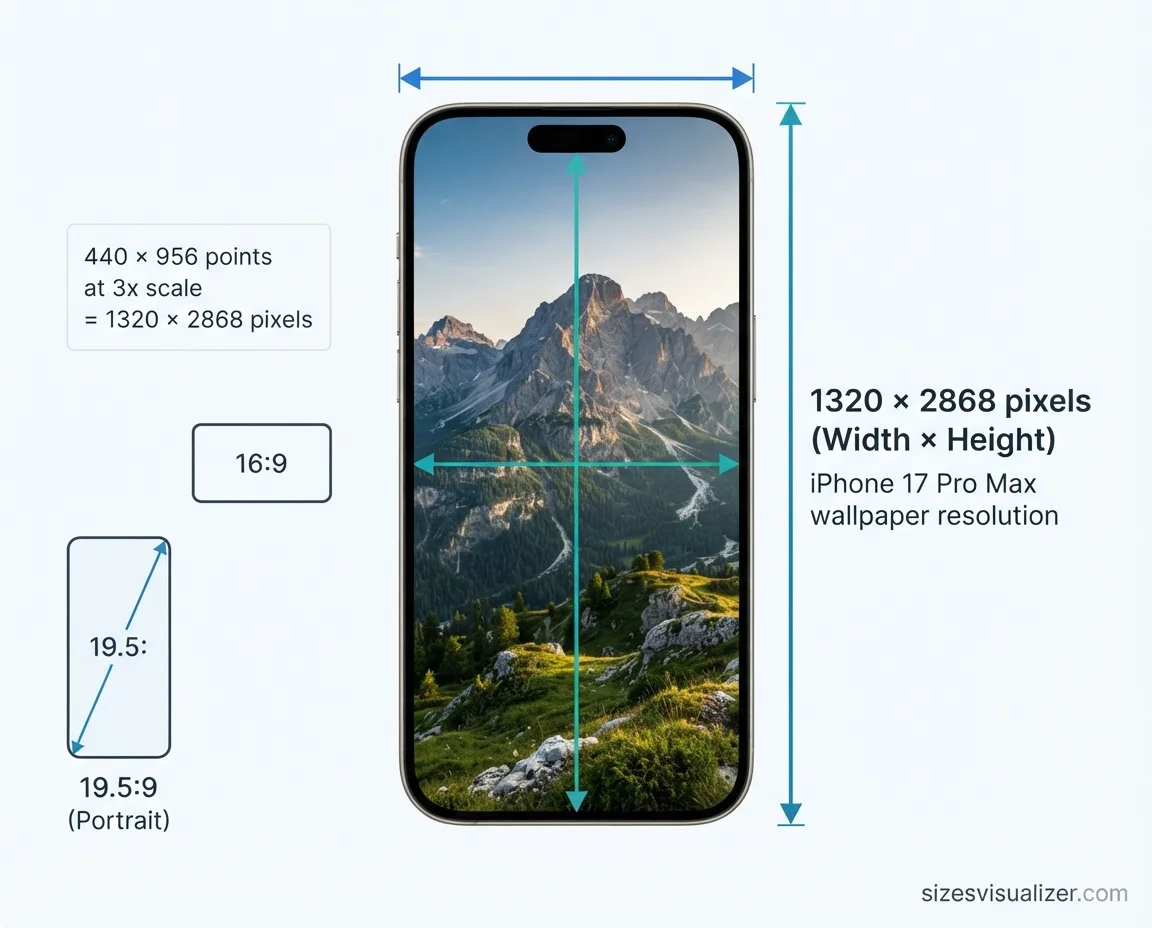
What is the size for iPhone wallpaper? It depends on your model. The iPhone 17 Pro Max uses 1320 × 2868 pixels. The iPhone 17 and iPhone 17 Pro use 1206 × 2622 pixels.
Pick the wrong size, and your background turns soft, zoomed in, or cropped. This guide lists the right iPhone wallpaper dimensions for every model. It also shows how to check your own screen and fit any photo.
Table of Contents
iPhone Wallpaper Size and Resolution Explained
Screen resolution is the number of pixels across and down. Apple lists the iPhone 17 Pro Max display at 2868-by-1320 pixels and 460 ppi. The best iPhone wallpaper size matches that native resolution. A slightly larger image with the same shape also works.
What is the aspect ratio of an iPhone wallpaper? Modern iPhones use about 19.5:9. That is a tall, narrow portrait shape. An image with a different ratio gets cropped or leaves bars.
Is the iPhone wallpaper 16:9? Not on new phones. The iPhone 6 through 8 and the iPhone SE (2nd and 3rd generation) use 1334 × 750 or 1920 × 1080 screens, which are 16:9. 4:3 is an iPad shape. The 12.9-inch iPad Pro, for example, uses 2048 × 2732 pixels.
Two more facts help here:
- Pixels vs. points: The iPhone 17 Pro Max shows 440 × 956 points at 3x scale. That equals 1320 × 2868 pixels. Use the pixel number for wallpapers.
- Perspective Zoom: Apple says this feature moves the wallpaper as you tilt the screen. iOS enlarges the image a little to allow that motion. Leave a safe margin around your subject, or turn the feature off.
iPhone Wallpaper Dimensions by Model
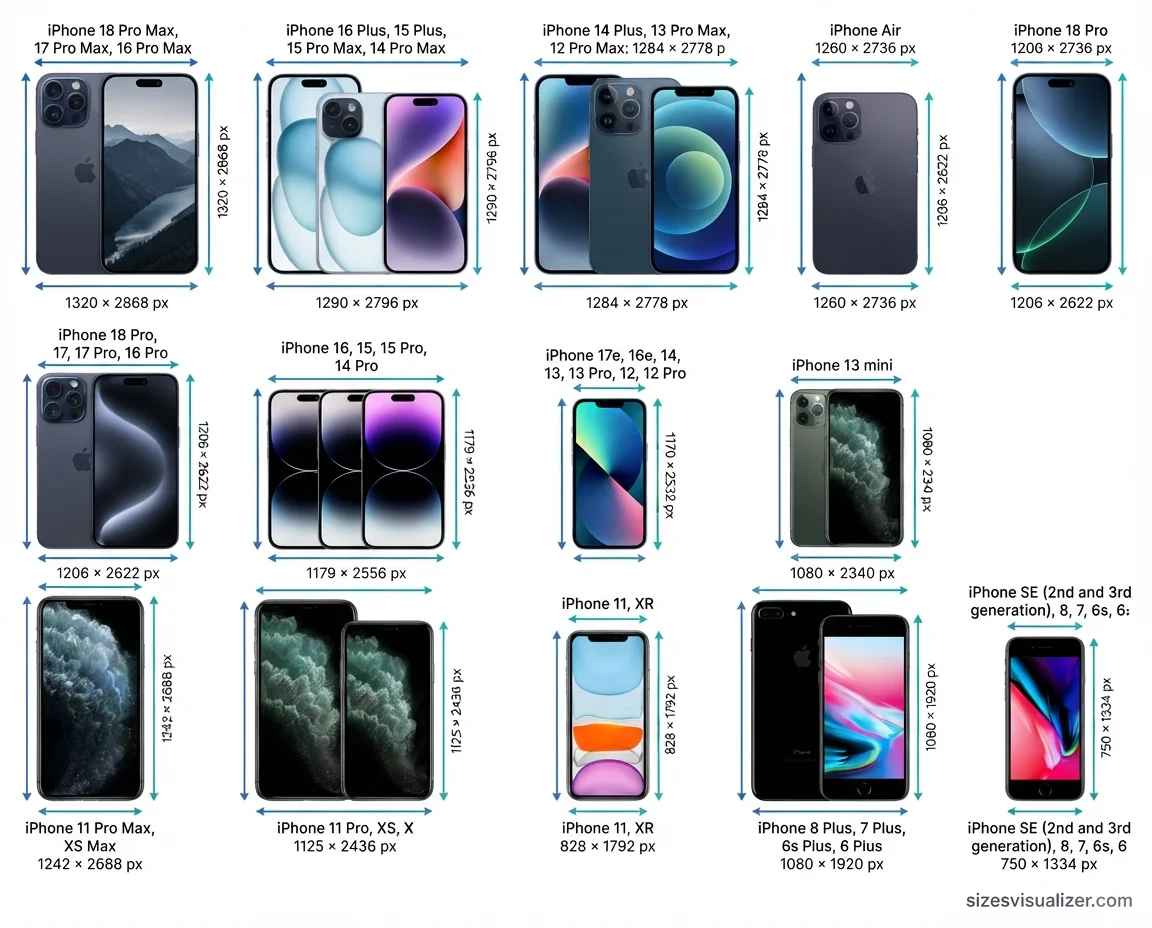
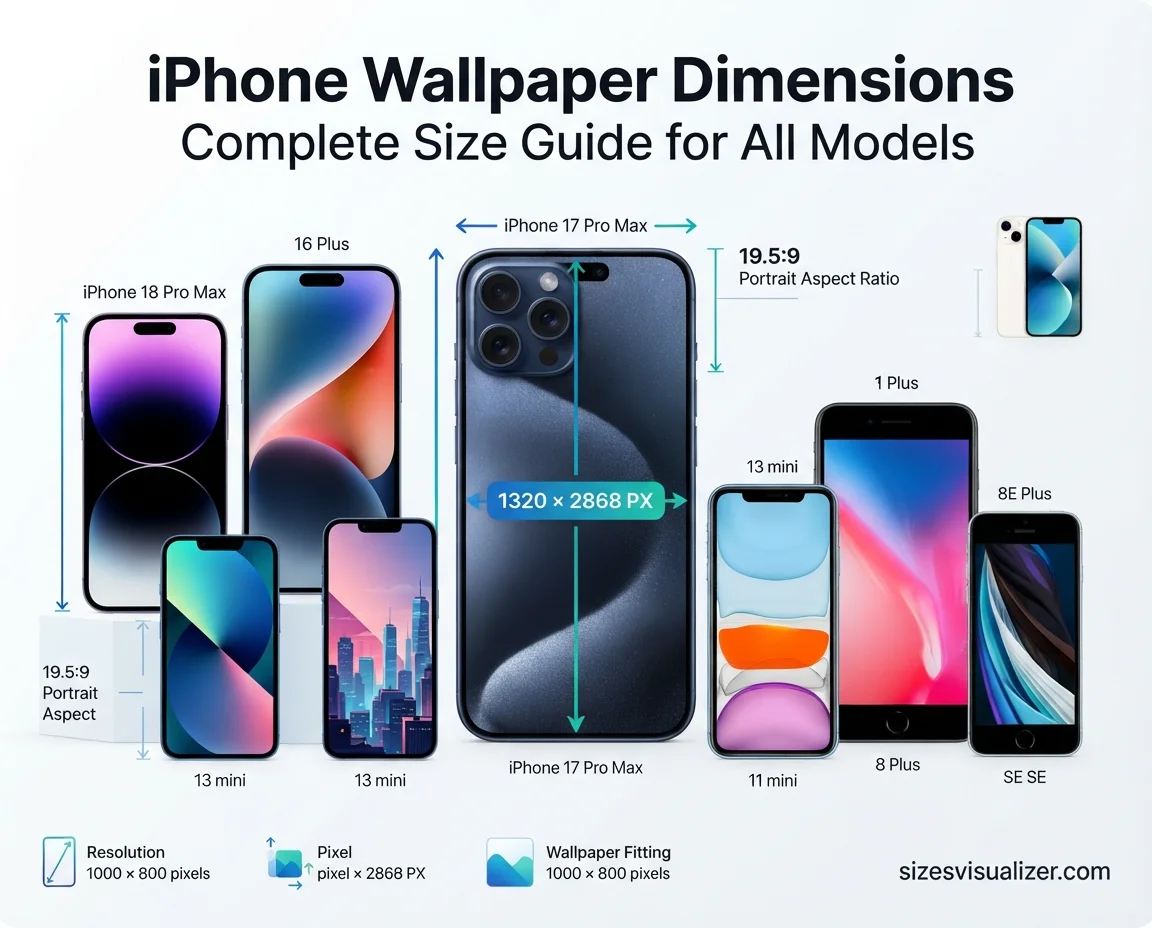
Find your phone in the table below. Sizes are in pixels (width × height).
| Wallpaper size (px) | iPhone models | Aspect ratio |
|---|---|---|
| 1320 × 2868 | iPhone 18 Pro Max, 17 Pro Max, 16 Pro Max | About 19.5:9 |
| 1290 × 2796 | iPhone 16 Plus, 15 Plus, 15 Pro Max, 14 Pro Max | About 19.5:9 |
| 1284 × 2778 | iPhone 14 Plus, 13 Pro Max, 12 Pro Max | About 19.5:9 |
| 1260 × 2736 | iPhone Air | About 19.5:9 |
| 1206 × 2622 | iPhone 18 Pro, 17, 17 Pro, 16 Pro | About 19.5:9 |
| 1179 × 2556 | iPhone 16, 15, 15 Pro, 14 Pro | About 19.5:9 |
| 1170 × 2532 | iPhone 17e, 16e, 14, 13, 13 Pro, 12, 12 Pro | About 19.5:9 |
| 1080 × 2340 | iPhone 13 mini, 12 mini | About 19.5:9 |
| 1242 × 2688 | iPhone 11 Pro Max, XS Max | About 19.5:9 |
| 1125 × 2436 | iPhone 11 Pro, XS, X | About 19.5:9 |
| 828 × 1792 | iPhone 11, XR | About 19.5:9 |
| 1080 × 1920 | iPhone 8 Plus, 7 Plus, 6s Plus, 6 Plus | 16:9 |
| 750 × 1334 | iPhone SE (2nd and 3rd gen), 8, 7, 6s, 6 | 16:9 |
Sizes come from Apple’s iPhone 18 Pro Max and iPhone 17 Pro Max tech specs, Apple’s model comparison page, and this iPhone 17 screen size breakdown.
What is the iPhone 17 wallpaper size? The iPhone 17 uses 1206 × 2622 pixels. The iPhone 17 Pro Max uses 1320 × 2868 pixels. The iPhone Air sits between them at 1260 × 2736 pixels.
What is the iPhone 16 wallpaper size? The iPhone 16 uses 1179 × 2556 pixels. The iPhone 16 Pro Max uses 1320 × 2868 pixels.
Your model not listed? Use the next size up in the same family. Then crop down. Never stretch a small image to make it fit.
Lock Screen vs. Home Screen Wallpaper Size
Both screens use the same pixel size. The layout is what changes. You can set each one from Settings or from the wallpaper gallery on your Lock Screen.
Lock Screen wallpaper size and layout
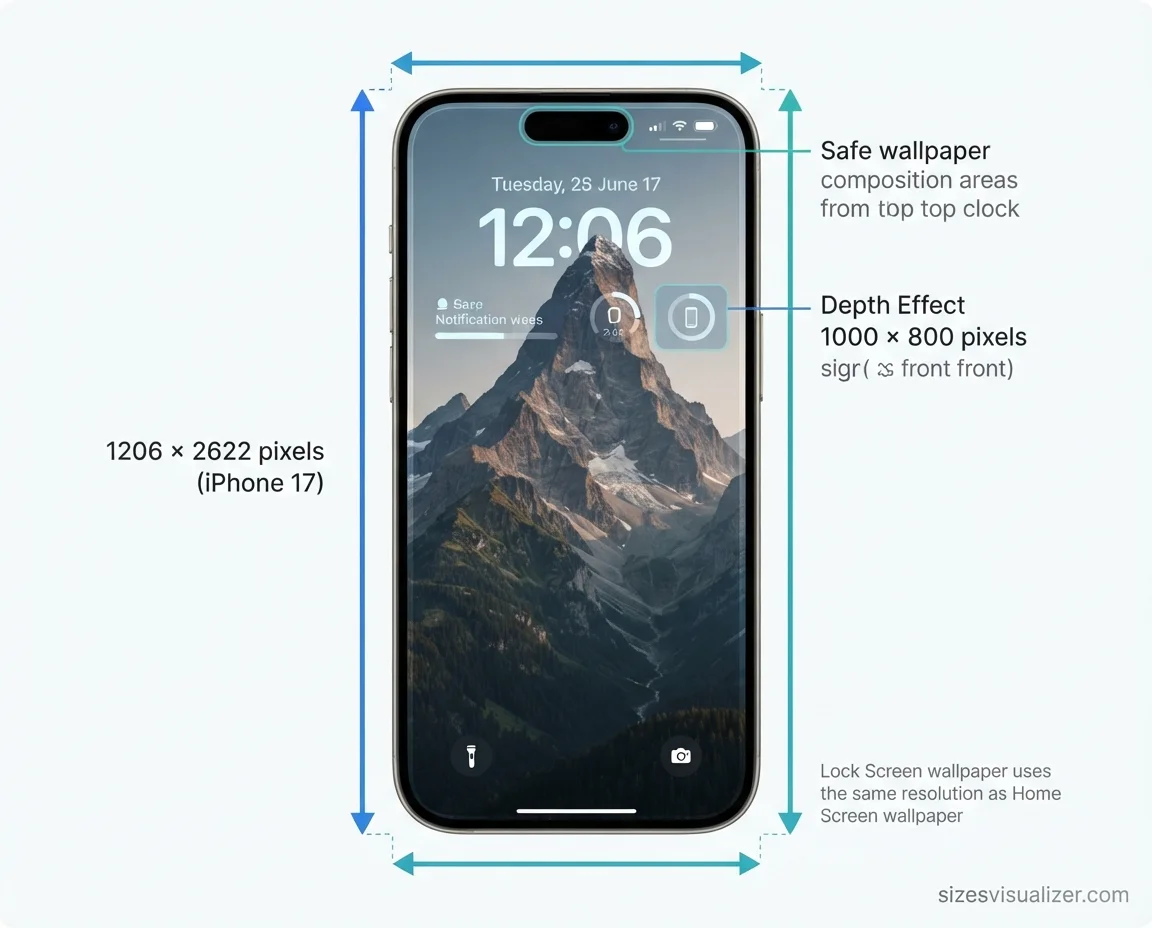
The iPhone lock screen wallpaper size matches your model’s table value. Plan for the clock, date, widgets, and notifications.
- Keep the subject clear of the clock and the Dynamic Island at the top.
- Use Depth Effect to place the subject in front of the time. Apple notes you can’t use Depth Effect with widgets.
- Pick a photo where the subject stands apart from the background.
- Check the Dark Mode button. It switches the wallpaper between Light, Dark, or Automatic.
Home Screen wallpaper size and layout
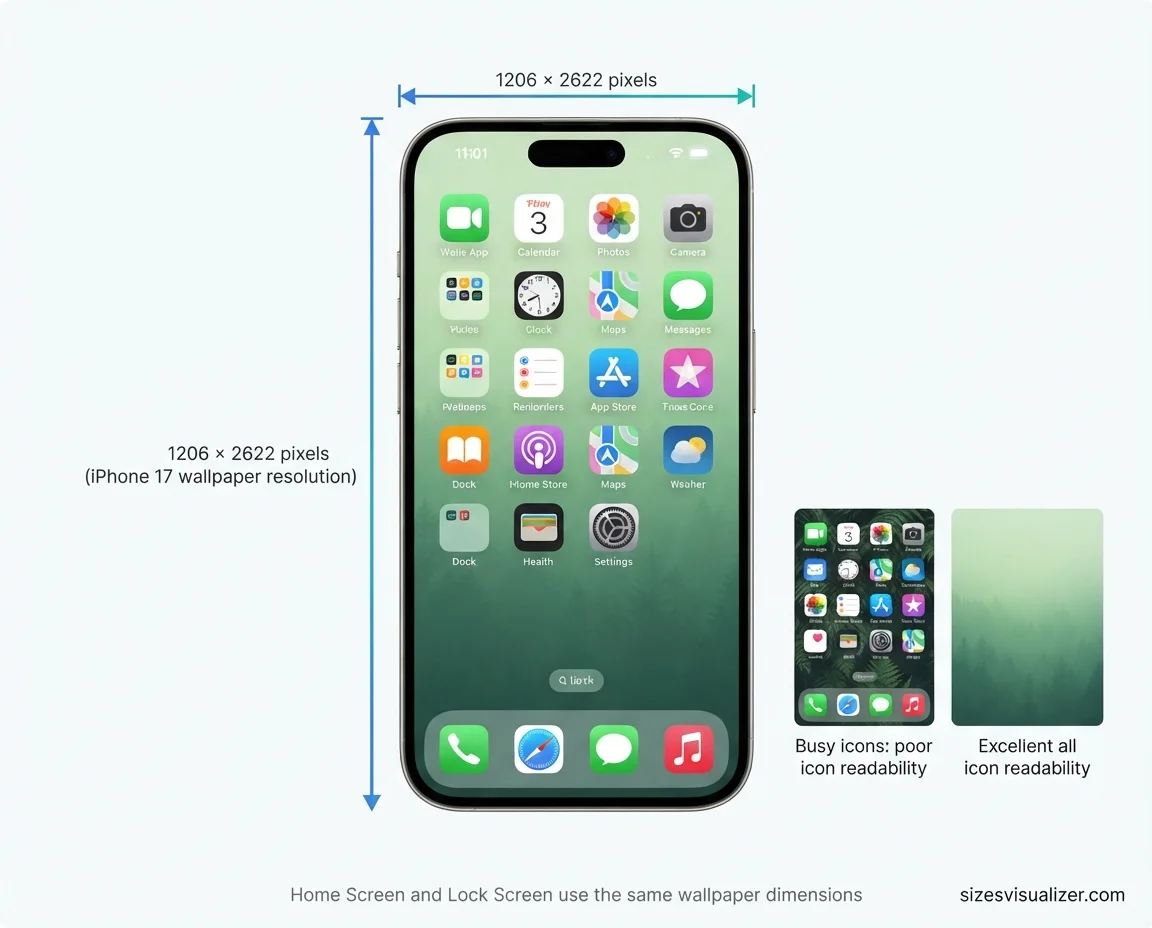
The iPhone home screen background sits behind app icons, folders, and the dock. Simple wins here.
- Choose soft gradients or calm scenes.
- Avoid busy patterns behind your most-used apps.
- Keep contrast high so icon labels stay readable.
The Always-On display dims your Lock Screen. Bright, crowded images lose detail when dimmed. Darker, cleaner wallpapers hold up better.
Choosing the right iPhone wallpaper dimensions ensures your screen looks sharp, clear, and perfectly aligned with your device. Similarly, understanding Nectar queen mattress size, height, and weight specifications helps you make informed decisions when selecting a mattress that fits your bedroom and comfort preferences.
How to Find and Fit the Right iPhone Wallpaper Size

How do I find my iPhone’s screen size?
- Open Settings, tap General, then About. Match your model name to the table above.
- Take a screenshot. Open it in the Photos app and tap the Info button. The pixel size shows there, such as 1179 × 2556.
How do I resize a photo for an iPhone wallpaper?
- Open the photo in Photos and tap Edit, then the crop tool.
- Choose a tall portrait ratio and drag the frame over your subject.
- For more control, use Adobe Photoshop, GIMP, or Canva. Lock the aspect ratio so the image doesn’t distort.
- Export at your model’s size, or a little larger.
Which file format is best? Use JPG for photos. It keeps file sizes small. Use PNG for graphics, text, and sharp edges. For free, high-resolution photos, try Unsplash.
Quick fixes for common problems:
- Blurry wallpaper: The source image is too small. Start with a larger file.
- Zoomed in or cropped: The aspect ratio doesn’t match. Crop to your model’s ratio first.
- Black bars: The image is landscape. Switch to a portrait image.
- Pixelation: The image was stretched. Never enlarge a small photo.
FAQs
What is the size for iPhone wallpaper?
It varies by model. The iPhone 17 and 17 Pro use 1206 × 2622 pixels. The iPhone 17 Pro Max uses 1320 × 2868 pixels. Check the table above for your exact iPhone.
Is 16:9 wallpaper size?
No. 16:9 is an aspect ratio, not a size. It means 16 units wide for every 9 high. A common 16:9 size is 1920 × 1080 pixels, which is landscape.
Is the iPhone wallpaper 16:9?
Not on modern iPhones. Only the iPhone 6 through 8 and the iPhone SE (2nd and 3rd generation) use 16:9 screens. Newer models are about 19.5:9.
Should I use 4:3 or 16:9 on iPhone?
Neither fits well. If you must choose, 16:9 is closer to an iPhone’s tall shape than 4:3. Both will be cropped. A 9:19.5 portrait image is the better pick.
Is 4:3 or 16:9 better?
It depends on the screen. 16:9 suits widescreen video and monitors. 4:3 suits many iPads and older displays. For an iPhone, match your model’s own ratio instead.
Is an iPhone screen 16:9?
Older ones are. The iPhone 6 through 8 and the SE use 16:9. Every iPhone with a notch or Dynamic Island is about 19.5:9.
Conclusion
The right iPhone wallpaper dimensions come down to three things: your model’s pixel size, a matching aspect ratio, and a sharp source image. Check your screen, crop to size, and keep the subject clear of the clock and icons. Your wallpaper will look crisp every time.

Measurement Researcher, Size Comparison Writer & Content Specialist
Timmy Ahad is a dedicated content writer and research specialist at SizesVisualizer.com, where he focuses on creating accurate, easy-to-understand content about measurements, dimensions, size comparisons, and real-world object visualization.


